Approval Request tab
To monitor the status of trial-related approval requests and make changes when necessary, the seller can use the Approval Requests tab. This tab is located on the trial info page (see image below).
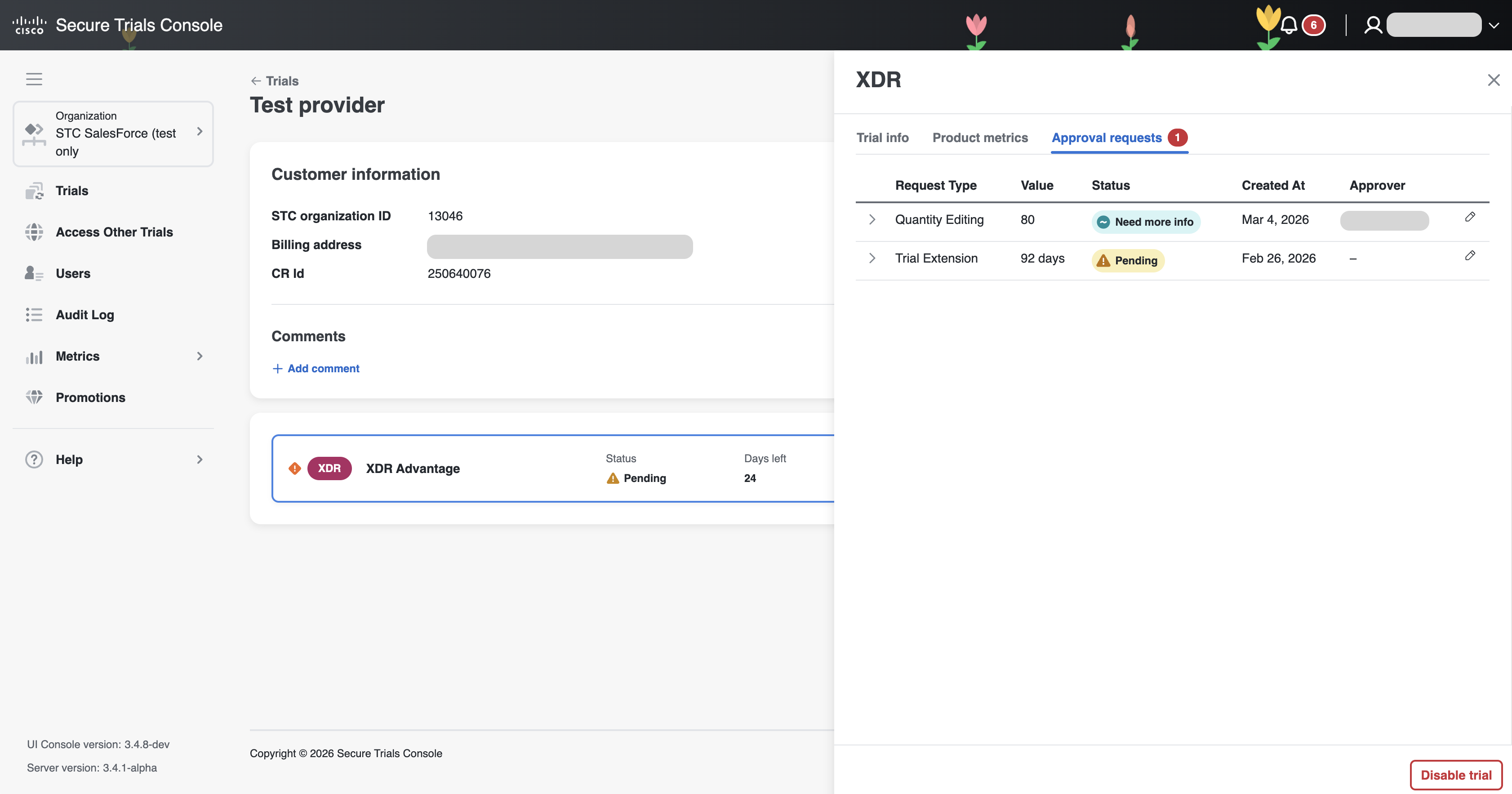
Within the Approval Requests tab, the seller can:
-
Track the current status of all approval requests.
-
Easily identify requests that require their attention—specifically, those set to the Need more info status.
-
View comments from the approver and check detailed information about each request.
-
Edit approval requests when additional information or changes are required.
If an approval request is marked as Need more info, the seller will receive both an email notification and a visible badge with a counter in the Approval Requests tab. This badge indicates the number of requests that require action from the seller, helping them quickly address outstanding items.